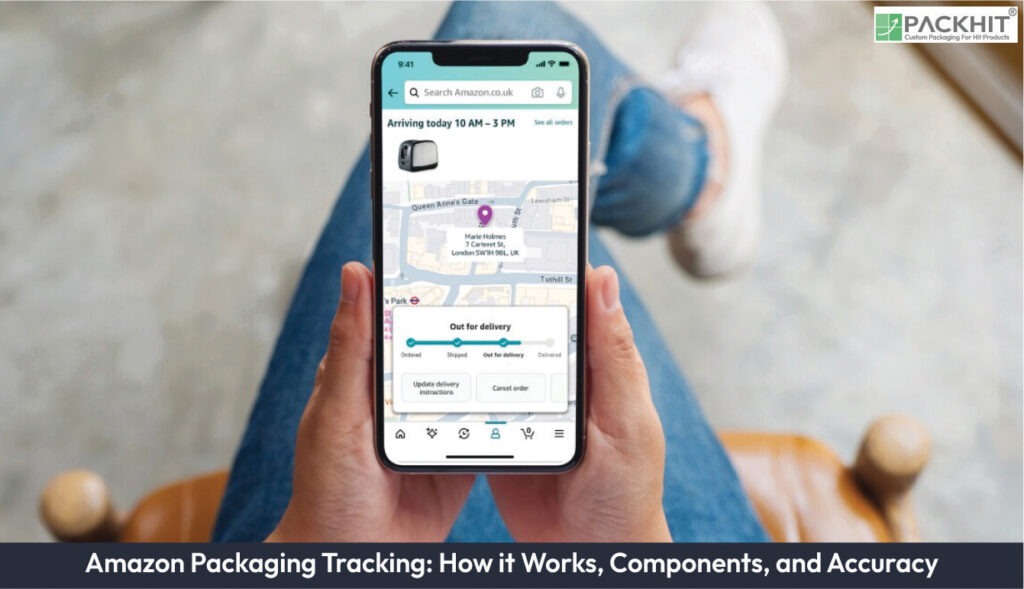
Amazon packaging tracking uses barcodes, checkpoint updates, and automated notifications to provide shipment visibility from creation through delivery. Manufacturers can use the resulting data to improve operational visibility and inventory coordination, although delays or barcode issues may affect updates. Barcodes serve as unique identifiers, encoding essential details to ensure accurate data transmission at key checkpoints. The system’s three-stage workflow is creation, transit, and delivery, ensuring comprehensive visibility, while cloud-based infrastructure supports real-time updates. Status updates provide actionable insights, and automated notifications enable efficient communication. Manufacturers benefit from enhanced supply chain transparency, improved inventory management, and scalable operations. Despite limitations like barcode dependency and network-related delays, Amazon mitigates errors through redundancy checks, predictive algorithms, and routine audits. Manufacturers can optimize usage by ensuring proper barcode handling, leveraging notification customization, and integrating tracking data with inventory systems.
- How Does Amazon Packaging Tracking Work?
- Key Components of Amazon Packaging Tracking
- How Does Amazon Ensure Accuracy in Packaging Tracking?
- Barcode Redundancy Checks
- Real-Time Data Validation
- Exception and Error Handling
- Data Availability and System Continuity
- Workflow Review
- How Can Manufacturers Optimize Their Use of Amazon Packaging Tracking?
How Does Amazon Packaging Tracking Work?
Amazon packaging tracking links a package identifier to scan events recorded during fulfillment, transportation, and delivery. A scanner reads the identifier, the responsible system adds an event to the shipment record, and the processed event can appear as a status update or notification. The visible status reflects the latest accepted event, not necessarily the package’s exact physical location.
Barcode Integration
A barcode gives a package a machine-readable identifier. Depending on the workflow, it can represent a package ID, shipment reference, destination information, or another operational code. Code 128 is a 1D example, while QR codes are 2D examples. These formats do not represent universal Amazon requirements. The applicable symbol, data fields, dimensions, and placement come from the relevant Amazon labeling instructions or carrier process.
At a checkpoint, the scanner associates the barcode read with details such as event time, facility, route, and handling action. A successful read identifies the package at that checkpoint, but it does not independently prove the current location. For paper-based custom packaging, preserve contrast and quiet zones. Keep the symbol clear of folds, seams, coatings, seals, and abrasion. Confirm readability after printing, converting, filling, and sealing.
Workflow Stages
Amazon packaging tracking generally follows three stages: record creation, transit processing, and delivery recording. During record creation, a label or package record links to the shipment. During transit processing, accepted scans at facilities or carrier checkpoints add movement events. During delivery recording, a final scan or carrier event marks delivery if that workflow includes a delivery event. Additional handoffs, exceptions, and unscanned movements can occur between these stages.
A status sequence can contain label creation, package receipt, facility processing, departure, arrival, out-for-delivery, delivery, delay, and return events. The names and order vary by service and carrier. A missing status does not prove that movement stopped. The package can change hands before the related scan reaches the customer-facing record.
Real-Time Data Processing
Cloud-based infrastructure moves scan events from a device or carrier system into the shipment record. After the event is accepted and processed, it can appear in a tracking interface or notification. Processing time depends on device connectivity, facility procedures, carrier integration, shipment method, and synchronization rules. Some events appear soon after a scan; others remain pending until a later scan or system update. The available context does not establish that every Amazon event appears immediately.
A tracking record can show an exception such as a delay, reroute, address issue, damaged label, or unsuccessful delivery attempt. The exception identifies a change in the recorded shipment state. It does not establish the cause unless Amazon or the responsible carrier supplies that information.
Key Components of Amazon Packaging Tracking
Three components connect a package with its visible tracking information: the identifier, the event record, and the notification rule. Their implementation varies by Amazon and carrier workflow.
Barcode
The barcode identifies a package or shipment record at a scan point. A 1D barcode stores data along one direction, while a 2D barcode stores data across two dimensions. Code 128 and QR codes illustrate these categories, but neither format is confirmed as a universal requirement for every Amazon shipment. The applicable labeling or carrier instructions determine the symbol type, encoded fields, print quality, and placement.
Print defects can interrupt tracking. Low contrast, ink spread, missing quiet zones, folds across the symbol, abrasion, and curved or sealed surfaces can reduce read accuracy. Manufacturers can inspect converted packaging samples with the verification method specified for the relevant workflow. A code must remain readable after printing, folding, coating, filling, and sealing, not only on the original artwork.
Status Update Protocols
A status update records an accepted event such as package receipt, facility processing, departure, arrival, out-for-delivery, or delivery confirmation. The record can contain an event time, facility or route reference, and status text. The available fields depend on the shipment record and carrier connection.
Update frequency depends on shipment method, route, facility, carrier, and tracking workflow. Expedited shipments can show more events than standard shipments, but no universal hourly interval applies to every shipment. Estimated delivery times depend on the service commitment, current scans, transportation conditions, and other data used by the relevant system.
Notification Architecture
A notification communicates a selected tracking event through an account page, email, text message, or application alert if that channel is active for the shipment and user. The message presents recorded tracking data rather than an independent measurement of package location. It can appear after the underlying event has been captured and processed.
Account settings, consent, shipment type, carrier data, and Amazon’s applicable communication rules determine notification timing and event coverage. Manufacturers managing repeated shipments can separate urgent exception alerts from routine delivery records, but the available settings require confirmation in the applicable Amazon or carrier interface.
How Does Amazon Ensure Accuracy in Packaging Tracking?
Amazon packaging tracking accuracy depends on a readable identifier, a valid event record, and timely data transfer. Repeated scans, record comparisons, and exception handling can reduce errors. The supplied context does not verify Amazon’s internal controls or their use across every packaging workflow.
Barcode Redundancy Checks
Repeated barcode reads give the system additional points for comparing a package with its shipment record. A comparison can include the identifier, facility, event time, and expected movement. This describes a general logistics control, not a verified account of every Amazon scan process. Manufacturers can reduce scan failures by checking contrast, symbol size, quiet zones, placement, and abrasion resistance before production.
Real-Time Data Validation
A tracking system can compare a new scan with the package record available at that checkpoint. The comparison can flag a duplicate identifier, an unexpected facility, an invalid code, or an event sequence that conflicts with recorded movement. These checks describe a general validation model. The supplied material does not confirm that Amazon applies one centralized check to every update or corrects every discrepancy immediately.
Exception and Error Handling
A failed scan, damaged label, duplicate identifier, or conflicting event requires an exception path. Depending on the responsible operation, that path can include a second scan, manual review, relabeling, carrier confirmation, or delayed status entry. Manufacturers can document the package identifier, print specification, inspection result, affected batch, and corrective action for each incident.
Data Availability and System Continuity
Missed scans, offline equipment, carrier handoffs, or delayed synchronization can make the displayed status lag behind physical movement. Cloud-based infrastructure can support data processing and storage across multiple sites, but the supplied context does not establish Amazon’s infrastructure design.
Workflow Review
An internal packaging review can test scan points, label placement, data-transfer rules, and unresolved exceptions. The article context does not provide an Amazon audit method, review schedule, responsible team, or compliance record. Those details require an approved source before publication as Amazon-specific facts.
Amazon packaging tracking is only as current as the latest readable scan and the data attached to it. Shipment method, route, barcode format, processing time, status frequency, and notification timing vary by workflow. Verify the applicable Amazon and carrier requirements before treating a barcode specification or status interval as a universal rule.
How Can Manufacturers Optimize Their Use of Amazon Packaging Tracking?
Manufacturers can improve Amazon Packaging Tracking by using readable barcodes, enabling key status notifications, linking tracking with inventory records, training staff, and defining escalation steps for shipment issues. Each package record should match the shipment number, quantity, and destination.
Barcodes should be correctly sized, placed on flat scannable surfaces, and protected from folds, moisture, and abrasion. Staff should monitor acceptance, delays, delivery attempts, and confirmed delivery, then investigate exceptions such as unreadable labels or delayed scans.
Tracking data can also be compared with packed quantities, purchase orders, and expected receipt dates. An exception log should record the shipment, status, affected units, date, and action taken.
For high-volume or complex shipments, staff should use a clear escalation process with Amazon based on the latest scan, package count, and required response.