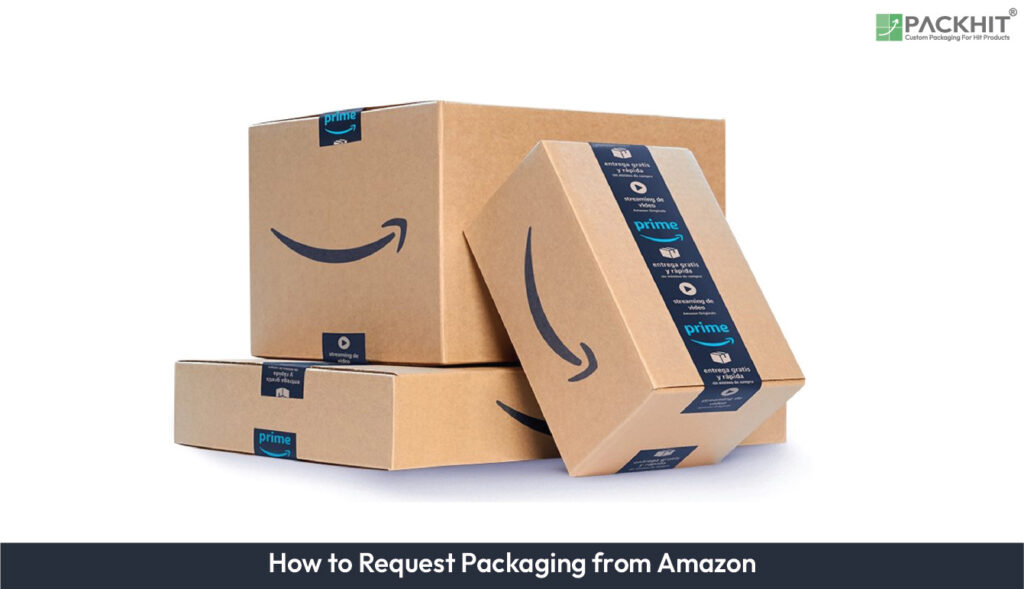
To request packaging from Amazon, manufacturers must log in to the appropriate platform, such as Vendor Central or Seller Central, and complete the relevant packaging request form. The request should include precise product and packaging specifications. Supporting documents may include CAD files, technical drawings, material certifications, or prototype designs when required.
Amazon reviews the request against specific packaging requirements. Packaging structure and materials are evaluated for durability and product protection. Material use and construction are considered for sustainability and material-efficiency requirements. Package dimensions and configuration are assessed for compatibility with Amazon’s fulfillment network. Custom packaging requests may also require prototype testing or design revisions before approval.
Manufacturers can select packaging approaches such as standard packaging, Frustration-Free Packaging (FFP), or eligible sustainable packaging formats. Each option must meet the applicable structural, material, and fulfillment requirements. Thorough documentation and accurate specifications can help reduce design iterations, approval delays, and compliance issues.
Follow these step-by-step instructions to submit a packaging request to Amazon for paper-based packaging that matches your product’s handling, protection, and packing workflow requirements.
- 1. Access the Appropriate Platform
- 2. Locate the Packaging Request Form
- 3. Provide Product Specifications (Accurate Inputs Reduce Rework)
- 4. Select the Packaging Type
- 5. Add Supporting Documentation for Custom Requests
- 6. Review the Submission Before You Submit
- 7. Await Review and Approval
- What Packaging Options Does Amazon Provide?
- What Makes a Packaging Request Get Approved?
- Challenges in Requesting Packaging from Amazon
- Steps to Optimize Packaging for Amazon Fulfillment
1. Access the Appropriate Platform
Log in to the Amazon portal that matches your business relationship: Vendor Central for Amazon’s direct suppliers or Seller Central for third-party sellers. Amazon uses the identifiers and inventory context from the portal you select during packaging review.
Use the same ASIN/SKU mapping across your product entry and your packaging request, if your workflow includes both steps. Consistent identifiers help Amazon evaluate the request against the correct sellable unit and reduce correction cycles.
If multiple variants share the same carton style, map each variant to the correct product dimensions and weight. A dimension mismatch for one variant can shift clearance assumptions for the entire request set.
2. Locate the Packaging Request Form
After login, open Product and Inventory. Locate the paper-based packaging review request form tied to your product listing or inventory record.
Amazon compares the packaging’s structure and fit to the product’s handling constraints. Your inputs connect to internal clearance, cushioning needs, and the carton closure method. If the form’s packaging size fields do not match your intended carton geometry, Amazon flags the mismatch for correction.
Before you start entering measurements, confirm the packaging orientation you plan to ship with (for example, whether the longest dimension runs along the carton length). Orientation affects how dimensions map to internal space and protection.
3. Provide Product Specifications (Accurate Inputs Reduce Rework)
Complete the form with measurements that match your sellable unit. Provide product dimensions, package entry dimensions, and net weight for the item inside the carton.
Add material information when it affects stiffness, compression behavior, or cushioning needs. Paper-based packouts rely on correct assumptions about how the carton and inserts resist deformation and protect corners and edges.
Fragility details connect likely failure modes to what you list in the request. Include impact sensitivity (for example, glass or brittle components) and specify which parts crack, dent, or shift under vibration and drop events.
- Crack risk: brittle parts can experience corner loading during drops, if clearance lets an edge contact carton walls.
- Shift risk: movable components can shift under vibration, if inserts do not lock parts into position.
- Compression dents: softer casings can deform under stacking pressure, if carton strength does not match unit weight and stacking height.
For each field, bind the attribute to the request inputs. Use product and package dimensions plus net weight for strength checks. Use fragility notes plus part-level failure descriptions for handling protection. Use paperboard or insert material types and liner thickness where the form captures them to support efficiency and stability. Supply documentation that maps listed material choices to the physical behavior under packing and shipping conditions.
If the request covers multiple packaging configurations, separate the measurements per configuration. Combining dimensions from different insert layouts can create a clearance profile that does not reflect any single shipped unit.
4. Select the Packaging Type
Select the packaging type that matches your product geometry and the packing workflow Amazon processes during fulfillment. Use the three Amazon request categories below, then map each product attribute to one category.
- Standard Packaging: general-purpose protection for predictable packing, with routine carton clearances and no complex internal part positioning.
- Frustration-Free Packaging (FFP): packaging that reduces customer opening steps and limits extra packaging material, if the product tolerates less rigid internal immobilization.
- Custom Packaging: packaging engineered to a specific item geometry, part layout, or protection requirement when standard cartons or inserts do not control positioning.
Choose Standard Packaging, if the unit fits common carton sizes with predictable clearance and a routine packout. Choose FFP, if the customer-opening workflow matters and the product tolerates fewer internal constraints. Choose Custom Packaging, if the product needs controlled positioning, layered cushioning, or non-standard internal entry dimensions for consistent protection.
Decision checklist for Amazon packaging requests is given below:
- Unit dimensions: select Standard, if the product and packing clearance match a common carton size range; select Custom, if you must hit a tight internal dimension to prevent shifting.
- Unit weight and corner exposure: select Standard, if impact risk stays within routine protection; select Custom, if corners need controlled cushioning layers or stand-off geometry.
- Fragility and failure modes: select Standard, if damage risk concentrates in general transit scuffs or light vibration; select Custom, if damage involves repeatable points such as screen edges, molded tabs, or latch features that require specific immobilization.
- Insert and cushion complexity: select FFP, if the product tolerates minimal internal packaging and the packout keeps fewer steps; select Custom, if the product requires inserts, staged cushions, or multi-zone protection.
- Customer-opening workflow: select FFP, if reduced opening steps and fewer materials are a key requirement; select Standard, if opening steps do not drive packaging design more than protection; select Custom, if both protection and opening constraints require a designed internal layout.
- Prototype and revision frequency: select Standard, if dimensions and cushioning work with routine carton tolerances; select Custom, if you expect design revisions until internal fit and immobilization match your target range.
For paper-based designs, confirm carton internal dimensions against the carton style you plan to source. If suppliers use different tolerances, document the target internal size range and the acceptable clearance for the product, so the request reflects real fit during packout.
If internal fit changes after prototype testing, update the packaging type, carton style, or insert layout in the request so Amazon evaluates protection and handling under the same assumptions as your production packout.
5. Add Supporting Documentation for Custom Requests
Choose Custom Packaging when standard options cannot match your product’s shape or protection needs. Attach documentation that explains fit, cushioning, and protection during packing and shipping.
Typical attachments include technical drawings, CAD files, material specifications, and prototype photos or schematics. If your design uses inserts or protective liners, include their measurements and placement notes so Amazon can assess stability during packing conditions.
- Insert layout: specify where each insert contacts the item, if contact points control wobble and prevent part-to-carton movement.
- Cushioning method: list the cushioning component type (paper-based pads, molded pulp, or paperboard dividers) when it governs impact absorption at corners and edges.
- Closure details: describe how the carton closes (tape pattern, tuck method, or locking flaps) when closure strength affects stacking performance.
Include paper type and thickness, liner composition, and the packaging weight for the requested packout when material efficiency or sustainability metrics affect review criteria. Use the same units across files and form fields to reduce verification delays.
If Amazon requests clarification, examples of missing or mismatched inputs include a missing insert placement diagram, a carton strength statement that does not match the listed weight, or fragility notes that do not specify which component fails under drops.
6. Review the Submission Before You Submit
Before submitting, check consistency across the form. Product dimensions must match the packaging design. Weights must align with the item. Fragility notes must map to the real failure modes. Missing values or mismatched units trigger rework during review.
If your notes reference carton strength assumptions, match those assumptions to the carton construction shown in your documentation. When carton strength and unit weight conflict, Amazon flags the request for reinforcement or insert changes.
Confirm that the “package entry dimensions” match the internal space needed for the product plus the stated cushioning and inserts. This prevents a mismatch where the product fits on paper but collides inside the carton during packing.
Qualification note for timelines and outcomes: review time depends on request complexity and the completeness of your measurements and attachments. Approval results vary by how clearly your documentation supports the form fields and the stated protection approach.
7. Await Review and Approval
Amazon’s packaging review checks whether the request aligns with packaging handling requirements and fulfillment compatibility. Estimated review time can range from 7 to 14 business days for well-documented, standard configurations, depending on the completeness of inputs and any follow-up questions.
If Amazon requests changes, update the submission in the same portal workflow and resubmit corrected specifications or additional documentation. Keep technical drawings and material sheets available because the reviewer can request insert placement details or closure method information that affects handling performance.
Track the request status in the platform. Keep your documentation accessible for the next iteration. Using the same measured inputs across product and packaging entries reduces delays caused by inconsistencies.
What Packaging Options Does Amazon Provide?
Amazon supports packaging choices that match fulfillment-handling requirements. The review focuses on pack structure, material efficiency, and how the pack performs during sorting and transport in fulfillment centers.
Standard Packaging
Standard packaging fits products that ship well in durable cartons or poly mailers with required labeling and protective fill. A typical approval path uses a documented outer carton size (L x W x H) plus a stated tare weight and cushioning type, so the pack can survive drop and vibration handling.
Frustration-Free Packaging (FFP)
Frustration-Free Packaging reduces extra components that slow opening and add waste. Amazon focuses review on how the carton opens without cutting devices and how the product remains contained without plastic clamshells or wire ties. For FFP requests, manufacturers commonly submit an opening method description and photos showing the inner tray or insert after removal.
Sustainable Packaging Options
Sustainable packaging options focus on recyclable, reduced-material designs while keeping drop protection consistent across units in the shipment. In the request form, include the paper-based component statement for the outer carton and the cushioning material type, then describe the pack limits that prevent product movement and void space without adding non-recyclable layers.
Specify one material statement for each packaging component, for example “paperboard carton with water-based adhesives” for the outer box and “kraft paper cushioning” for void fill. When you reduce inserts, describe the trade-off in structural terms: use paper-based partitions matched to the product footprint to support corners and edges, and state that the product sits in fixed positions with no observable rattle inside the carton.
A common change is replacing multi-material inserts with paper partitions sized to the product outline. That approach reduces mixed-material waste while still controlling movement so the carton can absorb handling impacts during fulfillment and last-mile delivery.
What Makes a Packaging Request Get Approved?
Approval depends on whether the pack matches Amazon’s handling requirements and whether the request includes enough technical detail for verification. Three areas account for most outcomes: structural protection, packaging-process compatibility, and documentation completeness.
Structural Protection
Amazon evaluates whether the outer carton and inner cushioning prevent damage from compression and transport motion. A request strengthens when it pairs product dimensions with packaging dimensions and identifies the cushioning approach (for example, paper inserts, molded pulp, or molded trays) that controls shifting.
Fulfillment-Process Compatibility
The packaging design must work with labeling, scanning, and automated or semi-automated handling steps inside fulfillment centers. A concrete check is whether the labeling placement leaves a clean, scan-ready surface on the outer box while keeping seams and closures from interfering with carton inspection.
Documentation Completeness
Missing inputs slow review because reviewers need proof of design intent. Requests typically include product and packaging measurements, an identification of the packaging type (Standard, FFP, or sustainable), and a clear description of how the pack contains and secures the item.
Challenges in Requesting Packaging from Amazon
Even when the product is ready for Amazon fulfillment, manufacturers can face friction during the packaging request review. Common issues include:
Design Revisions
Custom packaging designs often require multiple iterations to meet Amazon’s handling checks. These revisions usually respond to technical feedback on protection performance, such as insufficient corner crush resistance or cushioning that does not prevent shifting. Coordinating with Amazon’s packaging team helps align the structure with fulfillment handling expectations and the required opening behavior.
Approval Delays
The review cycle can extend for complex or highly customized packs. Delays come from incomplete submission details, extended testing needs, or additional clarification about how the product stays secured. Manufacturers reduce cycle time by submitting all required measurements and responding quickly to packaging-engineering notes.
Cost Implications
Custom packaging can raise upfront costs because it requires material selection, prototyping, and verification testing. The cost trade-off often connects to damage reduction and fewer shipment issues. Manufacturers typically evaluate returns through lower replacement rates, reduced customer contact for broken items, and improved shipper fill that affects freight and handling.
Compliance Risks
Non-compliance with packaging standards can trigger rejection or rework. Structural integrity gaps, packaging formats that conflict with label placement rules, and non-matching material statements are frequent causes. A practical mitigation step is pre-submission testing that confirms carton rigidity, cushioning control, and label-area accessibility.
Manufacturers reduce these risks by matching the packaging type to the product’s handling profile and by maintaining clear, fast communication with the packaging review team.
Steps to Optimize Packaging for Amazon Fulfillment
To optimize packaging for Amazon fulfillment, manufacturers should follow these steps:
- Analyze Product Requirements: Evaluate the product’s dimensions, weight, and fragility to determine packaging needs.
- Select Appropriate Packaging Type: Choose from Amazon’s standard, FFP, or custom packaging options based on product specifications.
- Ensure Compliance with Standards: Design packaging to meet Amazon’s durability, material efficiency, and sustainability criteria.
- Submit Detailed Request: Provide comprehensive product and packaging information through Amazon’s Vendor or Seller Central platform.
- Collaborate with Amazon’s Team: Work with Amazon’s packaging engineers to refine designs and address feedback from testing.
By adhering to these steps, manufacturers can streamline the packaging request process and ensure successful integration with Amazon’s fulfillment network.