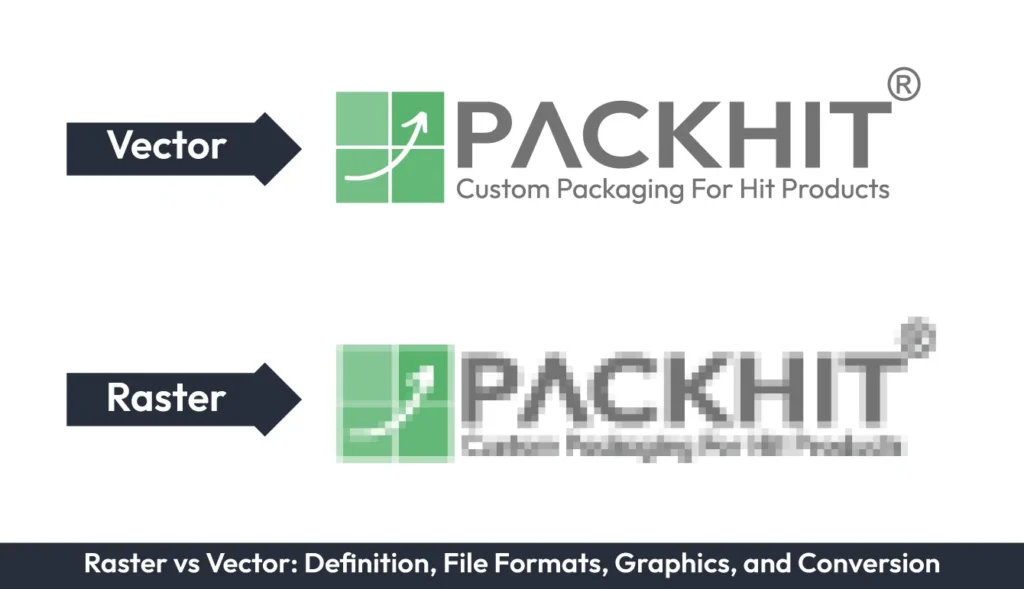
Raster and vector graphics are two primary image formats used in packaging design, each serving different design and production requirements. Raster graphics are pixel-based images that are best suited for photographs, textures, and detailed visuals, whereas vector graphics are created using mathematical paths, making them ideal for logos, typography, icons, and illustrations that require unlimited scalability. Both formats support different file types, including JPEG, PNG, TIFF, and GIF for raster graphics, and AI, EPS, SVG, and PDF for vector graphics. Understanding the differences between raster and vector graphics, including their composition, scalability, image quality, file size, editing capabilities, and packaging applications, helps designers select the appropriate format for each design element. Converting raster graphics to vector or vector graphics to raster is also a common part of packaging design workflows, allowing artwork to meet different production, editing, and printing requirements.
- What are Raster Graphics?
- Characteristics of Raster Graphics
- Common File Formats for Raster Graphics
- Applications of Raster Graphics in Packaging
- What are Vector Graphics?
- Characteristics of Vector Graphics
- Common File Formats for Vector Graphics
- Applications of Vector Graphics in Packaging
- Differences Between Raster and Vector Graphics
- Conversion of Raster to Vector and Vice Versa
- Raster vs. Vector: Which Format is Best for Packaging Design?
What are Raster Graphics?
Raster graphics, also referred to as raster images or raster, are images composed of a rectangular grid of pixels, which are ideal for detailed and photo-realistic images, making them widely used in digital photography and web design. Raster graphics are resolution-dependent, meaning their quality diminishes when scaled beyond their original dimensions.
Characteristics of Raster Graphics
The characteristics of raster graphics are mentioned below:
- Composition: Raster graphics are pixel-based, meaning they consist of a grid of individual pixels where each pixel represents a single point of color.
- Resolution Dependency: Raster images are resolution-dependent. Their quality deteriorates when scaled beyond their original dimensions, often leading to pixelation.
- Detail and Realism: Raster graphics excel in producing detailed, photo-realistic visuals, making them ideal for applications such as product photography, textured backgrounds, and intricate gradients.
- File Size: Due to their pixel-based nature, raster files are typically larger compared to vector files, particularly for high-resolution images.
- Printing Requirements: Printing requirements vary by print size and viewing distance; using sufficiently high resolution (often around 300 DPI as a starting guideline) can help maintain clarity and sharpness.
Common File Formats for Raster Graphics
The most common file formats for raster graphics are given below:
- JPEG: Ideal for compressing photographic images
- PNG: Supports transparency and is commonly used for web graphics
- TIFF: High-quality format often used in professional printing
- GIF: Limited to 256 colors, suitable for simple animations
Applications of Raster Graphics in Packaging
Raster graphics are commonly used in packaging design for detailed product images, textures, and gradients. For example, a high-resolution photograph of a product on a box or label is typically a raster image. However, care must be taken to ensure the image resolution is at least 300 DPI (dots per inch) to avoid pixelation during printing.
What are Vector Graphics?
Vector graphics are images created using mathematical equations to define paths, shapes, and colors. Unlike raster graphics, vector images are resolution-independent, meaning they can be scaled infinitely without losing quality, making them ideal for logos, icons, and other designs that require precision and scalability.
Characteristics of Vector Graphics
Vector graphics are uniquely defined by their mathematical precision and adaptability, making them a fundamental asset in design workflows. Below are the key characteristics that distinguish vector graphics:
- Scalability: Vector graphics can be scaled infinitely without any loss of quality, ensuring clarity and sharpness across varying sizes.
- Resolution Independence: Unlike raster graphics, vectors are not resolution-dependent, making them ideal for designs that need to adapt to multiple formats and dimensions.
- Editability: Each element within a vector graphic can be individually manipulated, offering unparalleled flexibility for adjustments and refinements.
- File Efficiency: Vector files are typically smaller in size compared to high-resolution raster images, as they store data as mathematical equations rather than pixels.
- Precision: Ideal for clean, geometric designs, vector graphics ensure accurate alignment and shapes, crucial for branding elements such as logos and icons.
- Compatibility: Vector files are widely supported by professional design software, allowing seamless integration into packaging workflows.
Common File Formats for Vector Graphics
The most common file formats for vector graphics are given below:
- SVG: Widely used for web and scalable designs
- AI: Adobe Illustrator’s native format, ideal for professional design
- EPS: Compatible with various design and printing software
- PDF: Often used for sharing and printing vector designs
Applications of Vector Graphics in Packaging
Vector graphics are essential in packaging design for creating logos, icons, and text. For example, a brand logo on a product box or a custom font used in a label design is typically a vector graphic. Their scalability ensures that these elements remain sharp and clear, regardless of the packaging size.
Differences Between Raster and Vector Graphics
Raster and vector graphics differ in composition, scalability, detail, font size, and editing. They both have unique attributes, and the choice between them depends on the specific requirements of your project, such as scalability, detail, and file size considerations.
The table below shows a detailed comparison to help you select the right format for packaging needs.
| Aspect | Raster Graphics | Vector Graphics |
|---|---|---|
| Composition | Pixels | Paths defined by mathematical equations |
| Scalability | Limited; quality decreases when scaled | Unlimited; no quality loss when scaled |
| Detail | High; suitable for photo-realistic images | Moderate; best for simple, clean designs |
| File Size | Larger, especially for high-resolution images | Smaller, as they store mathematical data |
| Editing | Challenging; requires specialized software | Easy; individual elements can be manipulated |
The differences between raster and vector graphics shown in the table above help determine when to use raster or vector graphics in your packaging design. For instance, raster graphics are ideal for showcasing high-resolution product photography, while vector graphics are better suited for logos, text, and other branding elements that need to remain sharp across varying sizes. Leveraging both formats strategically can help you achieve a balance between visual quality and functionality in your packaging projects.
Conversion of Raster to Vector and Vice Versa
Conversion between raster and vector formats is a common requirement in design workflows. For example, a raster logo may need to be converted into a vector format for scalability, or a vector illustration may need to be rasterized for use in a web application.
Raster to Vector Conversion
Converting raster images to vector graphics involves tracing the pixel-based image to create paths. This process can be done manually using software like Adobe Illustrator or automatically using tools like CorelDRAW. However, the conversion may result in a loss of detail, especially for complex images.
Vector to Raster Conversion
Converting vector graphics to raster images is straightforward and involves exporting the vector file into a raster format like JPEG or PNG. The resolution of the rasterized image must be set appropriately to ensure quality, especially for printing purposes.
Raster vs. Vector: Which Format is Best for Packaging Design?
The choice between raster and vector graphics in packaging design depends on the type of artwork, required level of detail, and how the design will be used throughout production. Raster graphics are best suited for elements that rely on continuous tones, textures, and realistic detail, such as product photographs, lifestyle images, and complex visual effects. However, raster images require sufficient resolution for the final print size; enlarging low-resolution images can result in pixelation, blurred edges, or reduced print quality.
Vector graphics are preferred for elements that require sharp edges, frequent editing, or scaling across different packaging sizes, including logos, icons, typography, barcodes, and illustrations. Because vector artwork is resolution-independent, it can be resized without losing clarity and is often easier to adjust during design revisions or print preparation.
For most packaging projects, a combined approach provides the most flexibility: use raster images for photographic detail and texture, and use vector artwork for brand assets, text, and graphics that require precise reproduction. When preparing files for production, consider whether the artwork must maintain sharp edges, support multiple package sizes, allow future edits, or reproduce detailed imagery accurately. These factors help determine whether raster, vector, or a combination of both formats is the most suitable choice.