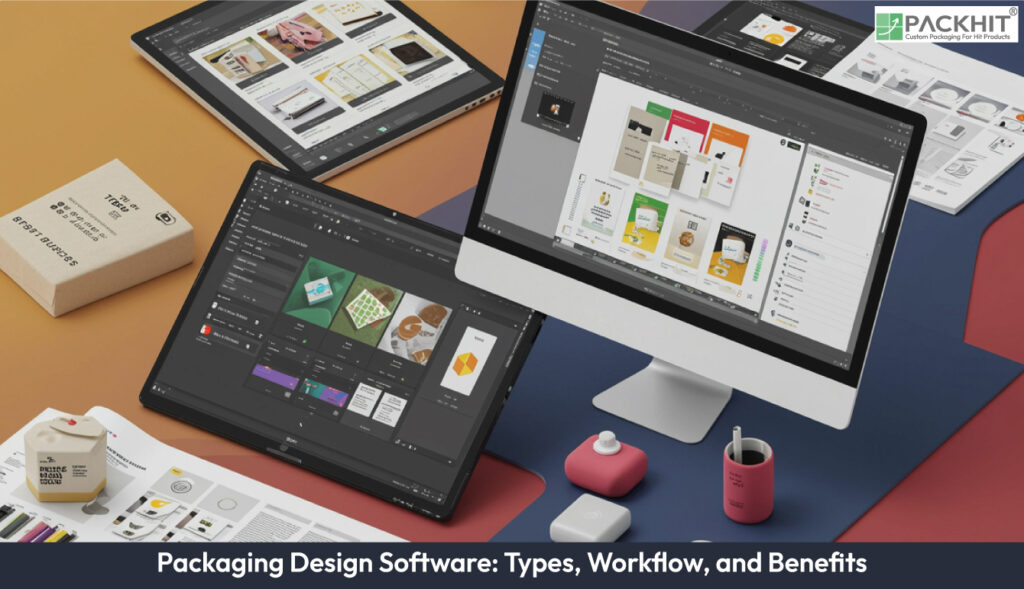
Packaging design software encompasses a range of digital tools that facilitate the creation, visualization, and optimization of product packaging. Packaging design software provides a virtual environment where teams can build dielines and prototypes, then review and comment on revisions in a shared cloud workspace before production handoff. Key features include visualization, customization, collaboration, and sustainability functions. Types of packaging design software include Adobe Illustrator, Photoshop, Esko ArtiosCAD, iC3D, and Packmage CAD, which can help improve efficiency, reduce costs, and support eco-friendly design, depending heavily on your specific workflow, team size, and integration needs. Emerging trends involve AR, AI, and sustainability, making software selection dependent on functionality, integration, and budget alignment.
- What is Packaging Design Software?
- Types of Packaging Design Software Based on Their Features
- 1. Graphic Design Software
- 2. Structural Packaging Design Software
- 3. 3D Visualization and Rendering Tools
- 4. Online Packaging Design Platforms
- 5. Packaging-Specific Design Suites
- 6. Sustainability-Focused Design Software
- How Does Packaging Design Software Work?
- Benefits of Using Packaging Design Software
- How is Packaging Design Software Used in Manufacturing?
- What are the Emerging Trends in Packaging Design Software?
- How to Choose the Best Packaging Design Software?
What is Packaging Design Software?
Packaging design software refers to specialized digital tools that create, modify, and visualize product packaging. These tools are equipped with features such as 3D modeling, template libraries, and rendering capabilities, allowing designers to produce functional and aesthetically appealing packaging solutions. The software is widely utilized across industries, including manufacturing, retail, and graphic design, to ensure packaging meets both practical and branding requirements.
Types of Packaging Design Software Based on Their Features
Packaging design software types are categorized by design functionality and industry application, encompassing graphic design tools, structural design systems, 3D visualization software, online platforms, and specialized design suites. Below are the major types of packaging design software, along with examples and their unique features:
1. Graphic Design Software
Graphic design tools like Adobe Illustrator and Adobe Photoshop can help in creating custom packaging visuals. Illustrator often excels in vector-based designs, which may be ideal for dielines and layouts, while Photoshop is frequently preferred for editing images and creating photorealistic packaging mockups. Another noteworthy tool is CorelDRAW, which is often favored for its precise layout and prepress capabilities in print and packaging workflows.
2. Structural Packaging Design Software
Structural design tools focus on creating dielines, prototypes, and packaging templates that can align with manufacturing processes. Examples include ArtiosCAD, which often serves as the industry standard for folding cartons and corrugated boxes, and Impact CAD, which may assist with structural layouts for corrugated packaging. Additionally, Kasemake can offer tailored solutions for custom box designs and prototype samples.
3. 3D Visualization and Rendering Tools
These tools can enable realistic visualization of packaging designs in 3D. Adobe Dimension may allow designers to render 3D packaging models in branded environments, while Blender often provides a free yet powerful option for creating advanced 3D visualizations. For high-end projects, Cinema 4D can be utilized to produce detailed animations and renderings of packaging concepts.
4. Online Packaging Design Platforms
Cloud-based platforms such as Packly, Tinkercad, and Canva are designed for businesses that may require accessible and user-friendly tools. These platforms can offer pre-designed templates, drag-and-drop interfaces, and collaborative features, which might be particularly useful for small-scale manufacturers or teams working remotely.
5. Packaging-Specific Design Suites
Esko Studio can integrate seamlessly with Adobe Illustrator to provide precise 3D visualizations tailored for packaging. Esko Color Engine may assist in ensuring accurate color management, while Adobe Creative Cloud Libraries often enable teams to share and reuse design assets for streamlined collaboration. These tools can help streamline highly specialized packaging design workflows.
6. Sustainability-Focused Design Software
Emerging tools in this category may prioritize eco-friendly practices. They often include features like material optimization, waste reduction analytics, and lifecycle assessments. These tools can support manufacturers in aligning with sustainability goals while helping to maintain design efficiency and brand integrity.
Performance benefits such as error reduction, operational cost savings, and prototype optimization are dependent on specific workflows, team expertise, and system integration. These outcomes are not guaranteed solely by the adoption of the software and may vary based on individual implementation factors.
How Does Packaging Design Software Work?
Packaging design software works by streamlining the creation process by guiding you through template selection, dimension customization, dieline generation, graphic application, and 3D visualization.
Selecting and Setting Up a Template
- Choose a Style: Select the appropriate container type, such as a box, bag, can, or bottle, from the available library in the design software.
- Define Dimensions: Input the precise measurements of your product (length, width, and depth) to create a tailored template.
- Retrieve the Dieline: Download the template outline, typically in AI, PDF, or DXF format, to obtain the essential markers for cutting, folding, and bleeding.
Creating the Graphic Design
- Load into Editor: Transfer your dieline into vector-based editing software.
- Adhere to Guides: Position critical text within safe areas and ensure background colors bleed beyond the cut lines to avoid white edges.
- Incorporate Branding: Integrate your logos, product details, ingredients, barcodes, and visual identity onto the template panels.
Rendering and Testing in 3D
- Upload Final Designs: Save your 2D artwork as a high-resolution PNG or vector file and import it into your 3D design tool.
- Verify 3D Folding: Manipulate the 3D model to ensure graphics are aligned correctly and that panel wraps look natural.
- Finalize Deliverables: Export the finished 3D render, animation, or a flattened, print-ready PDF for production.
Benefits of Using Packaging Design Software
Packaging design software provides key benefits such as improved workflow efficiency through automation, enhanced 2D/3D visualization, cost savings through error reduction, and sustainable material optimization. The benefits of packaging design software are detailed below:
- Improved Efficiency: Packaging design software enhances efficiency by automating repetitive tasks such as dieline creation and structural adjustments. This streamlines workflows, reduces manual intervention, and accelerates production timelines, which can help cut operational costs.
- Enhanced Visualization: Real-time visualization tools enable designers to preview packaging designs in both 2D and 3D formats. This ensures high accuracy, detects potential flaws early, and aligns designs with branding and structural requirements seamlessly.
- Cost Savings: By allowing early identification of design errors and optimizing material usage, these tools significantly lower production costs. The simulation capabilities also reduce the need for physical prototypes, further minimizing expenses.
- Sustainability: Sustainability features, such as material optimization and waste reduction, enable businesses to adopt eco-friendly practices. These tools help manufacturers align with industry trends and meet environmental goals without compromising design quality.
These benefits rely on the assumption that your team has the technical skills to use the tools and that the software connects well with your existing production systems. While cloud-based features and 3D modeling may reduce physical prototyping time and material waste, actual savings can vary based on project complexity and how well the digital models match real-world manufacturing constraints.
How is Packaging Design Software Used in Manufacturing?
In manufacturing, packaging design software is employed to create virtual prototypes that simulate physical properties like stacking compression and burst strength. This allows engineers to optimize designs for specific production goals, such as maximizing pallet utilization or minimizing substrate thickness. Engineers use these tools to ensure packaging durability and compatibility with automated processes such as high-speed robotic pick-and-place lines and mechanical folding. The software aids in reducing material waste and improving production efficiency by identifying design flaws early in the workflow.
What are the Emerging Trends in Packaging Design Software?
Emerging trends in packaging design software include the integration of augmented reality (AR) for enhanced visualization, AI-driven automation for faster workflows, and sustainability-focused features to minimize environmental impact. These advancements are reshaping the industry by enabling more efficient, innovative, and eco-friendly packaging solutions.
How to Choose the Best Packaging Design Software?
To choose the best packaging design software, ensure that it provides solutions for the exact tasks you perform, such as graphic layout, structural dielines, 3D proofing, production handoff, collaboration, budgeting, and sustainability.
1. Analyze Standard Software Workflow
Analyze the standard workflow of software by performing basic tasks from defining requirements to handoff.
- Input: Meets the structural requirements and material specifications based on the packaging goal.
- Dieline: It is easy to create or import a base template or dieline to map physical fold and mechanics.
- Design: Vector graphics, brand assets, and color typography to the surface can be applied smoothly.
- Visualization: Assists 3D proofing and simulated rendering to confirm graphic alignment with the structure.
- Collaboration: Provides a centralized system for team feedback and version-controlled iteration.
- Handoff: Barcodes, bleeds, and print marks can be verified before exporting the final production-ready file format.
2. Evaluate Practical Checklist
Validate your software requirements based on the practical evaluation checklist below:
- Functionality: list the required capabilities (vector art, raster editing, dieline creation, 3D rendering) and compare feature parity across candidates. Examples include Adobe Illustrator for vectors and ArtiosCAD for structural layouts.
- Compatibility: verify file formats (EPS, PDF/X, SVG, OBJ) and prepress/RIP compatibility. Include integrations with existing MIS/ERP if you exchange job tickets or production data.
- Visualization: prefer software with 3D proofing and photoreal renders if you need customer approvals or marketing mockups. Examples: iC3D, Blender.
- Production handoff: confirm dieline accuracy, barcode/bleed controls, and print-mark export so production runs may require fewer manual corrections.
- Collaboration: pick cloud-based or server-enabled tools if teams review remotely or accept custom packaging orders online. Check version control, commenting, and template sharing.
- Sustainability: evaluate material calculators, flat-pack optimization, and waste-estimate reports if reducing material use matters for compliance or cost.
- Costs and licensing: compare three pricing models, such as subscription, perpetual, transaction-based, and total cost over 1-3 years, including training and plugin fees.
- Support and ecosystem: check available templates, library assets, vendor training, and community examples if you rely on fast turnarounds or frequent format changes.