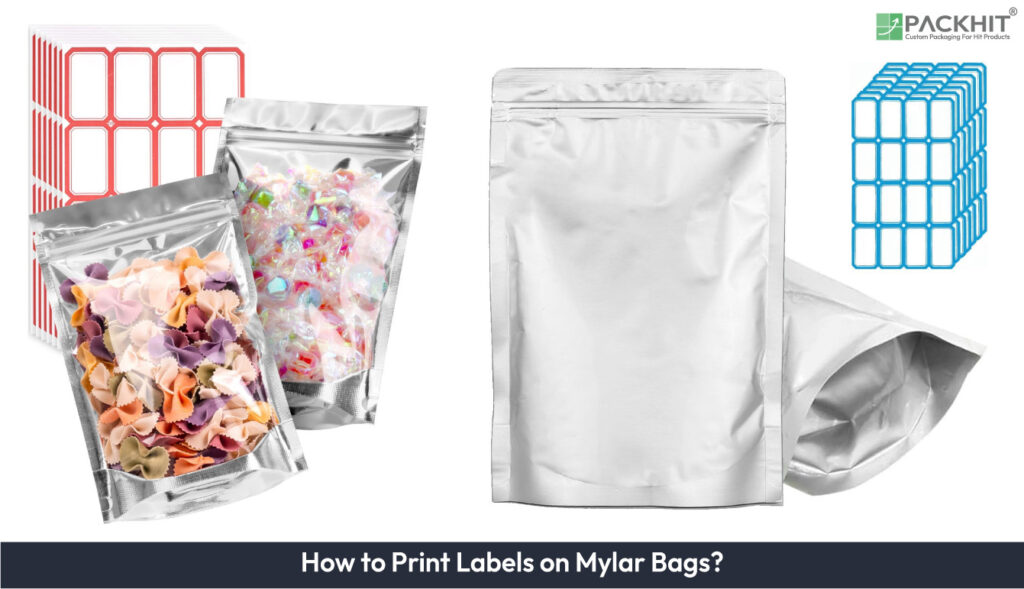
Print labels on Mylar bags by specifying service conditions and acceptance tests, choosing compatible face stock, adhesive, and print chemistry, preparing and treating the surface with 70–90% isopropyl alcohol and corona or plasma, and locking printer and finishing parameters. Apply labels with controlled peel angle and pressure, allow 24-72 hours dwell for full bond development, and validate adhesion via 180° peel, Taber abrasion, and solvent‑rub tests. Choose adhesive labels for short runs (examples: prototypes, late-stage variable data) and direct printing for large stable runs (examples: >5,000 units); prefer polyester (PET) face stock with resin ribbons or UV‑curable inks plus overlaminate for solvent and abrasion resistance.
- What is the process of printing labels on Mylar bags?
- 1. Specify Conditions and Acceptance Tests
- 2. Select Materials
- 3. Provide Artwork
- 4. Prepare the Surface
- 5. Printer setup
- 6. Add Finishing
- 7. Apply Labels
- 8. Validate Adhesion
- 9. Troubleshooting
- What material and surface properties of Mylar most affect label adhesion and printability?
- Which label face stocks and adhesives best match Mylar bags?
- Which printing technologies suit Mylar Bags for printing labels?
- How to prepare Mylar surfaces for printing and labeling?
- How do manual and automated application methods compare for labeling Mylar bags?
- When to choose Direct printing on Mylar vs adhesive labels?
What is the process of printing labels on Mylar bags?
Print labels (adhesive or direct-print) on Mylar by specifying conditions, choosing compatible face stock/PSA and print chemistry, cleaning/treating the surface, setting printer and finishing parameters, applying with controlled pressure, and validating adhesion with peel, abrasion, and solvent tests.
1. Specify Conditions and Acceptance Tests
Record the pouch service conditions, acceptance tests, and regulatory constraints up front. Specify temperature range (example: −20 °C freezer to 40 °C storage). List environmental exposures (examples: outdoor UV hours, salt spray). List chemical contacts (examples: solvents, oils, food contact). State expected lifetime in months or years. Attach required certification statements or declarations. Set measurable acceptance criteria: test method (example: 180° peel), pass/fail threshold (example: X N/25 mm), barcode read rate (example: ≥95%), and solvent‑rub limits.
2. Select Materials
Choose face stock, adhesive family, and print consumables that match the specification. Face stock examples: polyester (PET), polypropylene (PP), vinyl (PVC). Adhesive examples: acrylic, rubber‑based, silicone. For outdoor or solvent exposure, use polyester face stock with solvent acrylic or high‑tack acrylic PSA. For thermal‑transfer use resin ribbons. For full‑color rollstock, use UV‑curable pigment inks and primer, if needed.
3. Provide Artwork
Provide press‑ready files at delivery. Use CMYK or spot colors at 300 dpi final size. Convert fonts to outlines and flatten transparencies. Add 2–3 mm bleed beyond the cut line. Include barcode modules per GS1 and keep the required quiet zones. Set minimum reversed sans‑serif type to 6–8 pt. Supply trapping or knock‑out rules and press dot‑gain targets (example: flexo 20–40% linearized). Add registration marks and color bars for rollstock or inline finishing.
4. Prepare the Surface
Clean and, if needed, raise surface energy before printing or applying labels. Wipe the label zone with 70–90% isopropyl alcohol on a lint‑free cloth and allow 2–5 minutes to dry. Measure wetting with dyne pens or contact‑angle instruments; target ≈38 mN/m or higher. Use corona or low‑pressure plasma to raise dyne by 5–15 mN/m, if the measured dyne is low. For oily residues, repeat cleaning and remeasure before printing or labeling.
5. Printer setup
Run a parameter matrix on representative material and lock the settings that meet density and durability targets. For thermal‑transfer, choose a resin ribbon and test at 203–300 dpi. Tune print‑head energy and speed incrementally until density and edge definition meet specs. For UV inkjet, set ink laydown and cure dose to achieve full cure; verify cure with tactile tack tests. For flexo set corona power and linearize inks using press curves; record speed, anilox, and chamber settings for repeatability.
6. Add Finishing
Protect printed surfaces and finalize die‑cutting before application. Apply a clear polyester or polypropylene overlaminate for abrasion and UV resistance. Use spot or flood UV varnish for scuff control when varnish is compatible with the downstream process. Die‑cut or kiss‑cut with registration matched to your applicator. Specify kiss‑cut tolerances and rewind tension to reduce edge lift. Choose matte or gloss finish per handling and visual requirements.
7. Apply Labels
Apply labels by hand or with an applicator using controlled peel angle and pressure. Aim for a peel angle between 30° and 90°. Keep placement tolerance at ±1–2 mm for critical registration. Use a firm squeegee stroke when applying by hand to remove trapped air. Allow adhesive dwell for 24–72 hours for full bond development; test initial tack, if parts must ship earlier.
8. Validate Adhesion
Run defined acceptance tests that reflect service conditions. Perform 180° peel after 24 hours. Run Taber abrasion (example: CS‑10, 500 cycles). Run MEK double‑rub (example: 50 passes). Scan barcodes and require ≥95% read rate, if applicable. Execute environmental cycling representative of use (examples: 40–75% RH; −20 °C to 40 °C). Require no visible lift and no ink flaking after tests.
9. Troubleshooting
Isolate failures by symptom and apply corrective steps targeted to the cause.
- Edge lift: probable causes: contamination or low surface energy. Corrective actions: clean with IPA; apply corona or plasma treatment; switch to high‑tack solvent acrylic adhesive.
- Print smears or uncured ink: probable causes: insufficient UV dose or wrong ribbon/ink chemistry. Corrective actions: increase UV dose; test resin ribbon for thermal transfer; add clear overlaminate.
- Wrinkling or delamination: probable causes: excess heat during application or thermal‑expansion mismatch. Corrective actions: lower process temperatures; select face stock with a compatible coefficient of thermal expansion; allow substrate to equilibrate before applying.
- Poor barcode read: probable causes: low contrast or incorrect module size. Corrective actions: increase print density; verify GS1 module dimensions; reprint at higher dpi (example: 300 dpi) and rerun QC scan.
What material and surface properties of Mylar most affect label adhesion and printability?
Surface energy, surface chemistry, film thickness, exposed outer layer, and thermal behavior determine ink wetting, adhesive anchorage, and durability.
- Surface energy: Target ≈38 mN/m or higher for reliable wetting. Measure with dyne pens or contact-angle meters. Increase by 5–15 mN/m using corona treatment or low-pressure plasma.
- Surface chemistry: Topcoats and metal layers reduce adhesive contact. Examples: metalized films, varnishes, silicone coatings. Use high-tack solvent acrylics or specialty acrylics to compensate for low-energy finishes.
- Film thickness: Typical BoPET thickness is 50–200 μm (2–8 mil). Thicker film resists distortion during handling. Thin film creases or wrinkles more easily during application.
- Thermal behavior: Glass transition is ≈75–85 °C. Melting point is above 250 °C. Control fuser, cure, and sealing temperatures to avoid dimensional change or delamination.
- Exposed outer layer: The outer-most material governs adhesion and print-chemistry choices. Examples: PET, PP, varnish. Match label face stock and PSA to that layer for compatible coefficient of thermal expansion (CTE) and chemical resistance.
- Contamination: Contaminants reduce bond. Examples: oils, mold-release agents, fingerprints. Clean with 70–90% isopropyl alcohol on a lint-free cloth. Allow 2–5 minutes to dry before printing or applying labels.
Measure and record these properties during design and prepress. Apply corona or plasma if the surface energy reads low. Switch to a higher-tack or solvent acrylic adhesive, if dyne values remain insufficient. Validate results with 180° peel tests, Taber abrasion, and MEK or solvent-rub tests.
Which label face stocks and adhesives best match Mylar bags?
Choose polyester (PET) face stock with acrylic or solvent-acrylic PSA for permanent, solvent and UV-resistant labels. Select high-tack acrylic if films are metalized or low in surface energy. Use cryogenic-grade acrylic, if service temperature is below −20 °C.
- Face stock: Polyester (PET) — example: gloss PET; attributes: high solvent resistance, UV stability, matched coefficient of thermal expansion to BoPET.
- Face stock: Polypropylene (PP) — example: BOPP; attributes: lower cost, lighter weight, reduced solvent resistance compared to PET.
- Face stock: Vinyl (PVC) — example: calendered PVC; attributes: conformable to curves, higher friction, variable recyclability.
- Adhesive: Acrylic PSA — example: solvent acrylic, high-tack acrylic; attributes: long-term aging resistance, UV tolerance; select high-tack, if surface energy remains <38 mN/m after cleaning.
- Adhesive: Rubber PSA — example: synthetic rubber; attributes: high initial tack for short-term bonds, limited solvent resistance.
- Adhesive: Silicone PSA — example: medical-grade silicone; attributes: low-residue removal, compatibility with sensitive surfaces, limited shear strength.
Selection rules:
- Durability: specify PET face stock and resin-transfer or UV-cured inks, if abrasion or solvent exposure is expected; ink examples: resin-transfer ribbons or UV-cured pigment inks.
- Temperature: specify cryogenic-grade acrylic for service < −20 °C and heat-stable adhesives, if processing temperatures exceed 80 °C.
- Surface energy: specify high-tack solvent acrylic if dyne measurements read below ≈38 mN/m after cleaning or treatment.
Which printing technologies suit Mylar Bags for printing labels?
Thermal-transfer with resin ribbons and UV-curable industrial inkjet provide the most consistent durability on Mylar. Flexographic printing remains the standard for high-volume rollstock. Laser printers and common aqueous desktop inkjet require protective overlamination for solvent and abrasion resistance.
The table given below shows printing methods for labels on Mylar bags and compares compatibility with PET, durability, typical run‑length, and best use cases.
| Method | Compatibility with PET | Durability | Typical run‑length | Best use cases |
| Thermal transfer (resin ribbon) | High. Works on PET label stock. | High abrasion and solvent resistance when printed with resin ribbons. | Short to medium runs; efficient for variable data. | Durable barcodes, serial numbers, small-batch production. |
| UV inkjet (industrial) | High after corona treatment or primer. | High once fully UV cured; resists outdoor exposure and mild solvents. | Short to long runs; digital flexibility for variable graphics. | Full-color roll-to-roll jobs, short runs with versioning. |
| Flexography (water or UV inks) | High with press pretreatment and controlled surface energy. | High when using UV inks plus varnish or laminate. | High-volume runs; cost-effective at scale. | Large batches where unit cost and throughput matter. |
| Laser (toner) | Moderate. Fusing heat can affect thin PET films. | Moderate. Toner resists abrasion but not strong solvents. | Short to medium runs; convenient for office-level production. | Small-batch text labels and prototypes with no solvent exposure. |
| Screen printing | High. Allows thick ink deposits on PET surfaces. | Very high mechanical durability and tactile ink layers. | Medium runs where specialty inks justify setup. | Heavy-ink graphics, metallics, and specialty coatings. |
Specific print-material pairings: thermal-transfer resin ribbons plus polyester face stock give the best solvent and abrasion performance. UV-curable inks on treated Mylar provide full-color prints that can be handled immediately after proper curing. Pigment-based piezo inkjet on primed PET with overlamination gives good indoor durability.
How to prepare Mylar surfaces for printing and labeling?
Prepare the label zone by removing contamination, confirming surface energy ≥ ≈38 mN/m, and applying corona or plasma if dyne readings are low. Follow these concise actions for repeatable adhesion and consistent print wetting.
- Clean: Wipe the label area with 70–90% isopropyl alcohol on a lint-free cloth. Repeat cleaning if visible oil or release agents remain. For heavy residues, use a manufacturer-approved solvent and retest surface energy.
- Dry: Allow 2–5 minutes at ambient temperature for solvent evaporation. Extend drying time if solvent pools or ambient relative humidity exceeds ≈60%. Avoid touching the area after drying.
- Measure: Test surface energy with dyne pens or a contact-angle meter. Take 3–5 readings across the label zone and record values. Target ≥ ≈38 mN/m for reliable wetting.
- Treat: Apply corona or low-pressure plasma if dyne < ≈38 mN/m. Expect a typical corona gain of 5–15 mN/m. Treat immediately before printing or labeling, if possible, to limit recontamination.
- Validate: Print a sample or apply a test label. Perform a 180° peel after 24 hours and record peel force. Run a quick solvent rub (example: MEK double-rub, 10–50 passes) to confirm ink and adhesive resistance. Rework materials if tests fail.
How do manual and automated application methods compare for labeling Mylar bags?
Automated application gives higher throughput and repeatable placement; manual application gives lower capital cost and greater flexibility for prototypes and short runs.
Comparison table of operational attributes, failure modes, and validation needs for manual versus automated labeling.
| Criterion | Manual application (examples) | Automated application (examples) |
|---|---|---|
| Throughput | 5–60 labels/min per operator; hand‑applied, squeegee | 200–2,000 labels/min per applicator; roll‑fed tamp‑blow, wipe‑on |
| Placement accuracy | ±2–5 mm; visual alignment by operator | ±0.5–1.5 mm; servo control with vision alignment |
| Setup time | Immediate to 10 minutes per SKU change; minimal tooling | 30–120 minutes for changeover and calibration; tooling and recipe load |
| Run‑length guidance | Cost‑effective for runs under 500–1,000 labels per job | Cost‑effective for runs above 5,000 labels or continuous production |
| Capital and operating cost | Low capital ($0–$1,500); higher labor per unit | Higher capital ($8,000–$80,000); lower labor per unit |
| Flexibility | Rapid SKU changes; tolerates irregular placement (examples: prototypes, versioning) | Best for consistent label size and location; changeover via software and fixtures |
| Substrate fit | Handles odd shapes and thick seals by hand | Requires fixture or sensor if pouch contours vary, otherwise add custom tooling |
| Quality control | Off‑line sampling (1–5% sampling; peel tests) | Inline vision and barcode verification for 100% inspection when integrated |
| Failure modes | Inconsistent pressure; trapped air; wrinkles | Misfeed; sensor misread; peel edge lift from wrong applicator angle |
| Maintenance and validation | Minimal cleaning; operator training; periodic sample testing | Daily conveyor/roller cleaning; periodic vision recalibration; monthly preventative maintenance |
Choose manual for prototypes, frequent SKU changes, or runs under 1,000 labels; choose automated for sustained volumes above 5,000 labels, placement tolerance under ±1.5 mm, or when 100% inline barcode verification is required.
When to choose Direct printing on Mylar vs adhesive labels?
Choose adhesive labels for short runs and late-stage or variable data; choose direct printing for large runs with stable graphics to reduce unit cost.
Decision factors include run length (examples: 100, 1,000, 10,000 units), SKU variability (examples: 3 SKUs, 20 SKUs/year), durability requirements (examples: abrasion, solvent exposure), and lead time (examples: same‑day changes, press setup days).
- Run length: adhesive labels cost less per job for runs under ~5,000 units; direct printing becomes economical above ~5,000 units, if press uptime offsets setup.
- SKU variability: use adhesive labels, if frequent versioning or late-stage text/lot changes occur; use direct printing, if artwork remains stable across large batches.
- Durability: choose direct printing or polyester face-stock labels printed with resin-transfer ribbons or UV-cured inks plus overlaminate, if abrasion or solvent contact is expected.
- Placement and registration: choose direct printing, if precise, repeatable registration is required across rollstock; choose labels if ±1.5–5 mm placement tolerance is acceptable and applicators handle variation.
- Lead time and logistics: choose adhesive labels to add data late in the supply chain or to avoid press changeovers; choose direct printing, if you can schedule press runs and accept longer setup time.
- Equipment and capital: choose adhesive labels if capital is limited and handheld or basic applicators suffice (examples: handheld, tamp‑blow); choose direct printing if you can invest in flexo, UV inkjet, or high-throughput thermal-transfer systems.
- Sustainability and waste: choose direct printing to reduce extra label material and adhesive waste, if lowering material use or simplifying end‑of‑life disposal is a priority.
Match the choice to your primary driver: cost per unit, flexibility, or durability. Verify the choice with a pilot run of 100–500 parts. Run adhesion, abrasion, and barcode scans before full production.